About the my33 App
My33 App — Unlimited Entertainment at Your Fingertips
These days, Malaysians no longer need to sit in front of a computer to enjoy online games. my33 understands this need — which is why we invested the time and resources to build a mobile app that is truly worth downloading. Not just a web version wrapped in an app shell, but a complete gaming experience fully optimized for your smartphone screen.
Since my33 launched this mobile app, the response from Malaysian users has been overwhelmingly positive. Over 500,000 active downloads in less than a year — a figure that proves Malaysians want a mobile-friendly, fast, and reliable entertainment platform. From Kuala Lumpur to Kota Kinabalu, my33 users can now enjoy their favourite games whether commuting to work or relaxing at home.
Games Available in the my33 App
One question new users frequently ask is — are all games available in the app? The answer is yes, all of them. The my33 app provides full access to the complete game catalogue, identical to the web version, including:
- Fish Shooting — over 30 tables from leading providers such as JILI, Spade Gaming, FA Chai, and CQ9, with stunning HD graphics on mobile screens.
- Live Casino — baccarat, blackjack, roulette, and sic bo tables with real dealers streamed live 24 hours a day, 7 days a week.
- Bingo — lively online Bingo with multiple rooms and exciting prizes to be won every day.
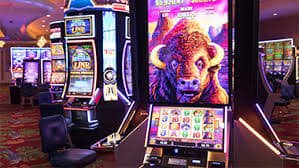
- Slots — a video slots collection featuring progressive jackpots and free spin bonuses that can be triggered at any time.
- Sports Betting — place bets on local and international football matches, badminton, tennis, and more.
Interestingly, touch controls in the my33 app are actually more intuitive than using a mouse on desktop — especially for Fish Shooting Games, where you can aim your shots with greater precision using your finger. Many experienced my33 players have noted that their game results improved after switching to the mobile app.
My33 App Security — Is It Safe to Install?
Security is the first thing many people ask about when prompted to install an APK outside of the Google Play Store. That is a smart approach and we appreciate cautious users. The my33 APK you download from this official page is the exact same file used by over half a million of our active users — it has undergone rigorous security testing and is completely free of malware.
The my33 app uses end-to-end encryption for all communication between your device and our servers, meaning no third party can intercept or read your transaction data or login credentials. We also never store your credit card details or banking information — all payments are processed through licensed and trusted third-party payment gateways.
One easy way to verify the authenticity of the my33 APK file is to check the file size — it should be between 17MB and 20MB. If you receive a file significantly larger or smaller than this range, it likely did not come from the official source. Always download directly from this page for guaranteed security.
My33 App Updates — How to Get the Latest Version
Unlike apps from the App Store or Play Store that update automatically, the my33 app uses a more flexible in-app update system. When a new version is available, you'll receive an in-app notification informing you of the available update. You can choose to update immediately or later, at your convenience.
We recommend always using the latest version of the my33 app to ensure the smoothest gaming experience, access to the newest features, and the latest security patches. Updates typically take under two minutes and will not delete any data or settings saved in the app.
Important Note
Always download the my33 APK from the official website only. Avoid downloading from third-party sites or links shared via unknown WhatsApp or Telegram contacts.
Connection Requirements
For the best experience, use a stable WiFi or 4G/5G connection. A minimum speed of 5 Mbps is recommended for uninterrupted Live Casino gameplay.
Battery Saver
The my33 app features a built-in power-saving mode that automatically adjusts graphics quality when your battery drops below 20%, so you can keep playing longer.
24/7 Support
The my33 support team is ready to help if you encounter any issues during installation or while using the app. Contact us via in-app live chat anytime.
Exclusive App Bonus
Players using the my33 app are eligible for exclusive bonuses not available on the web version — including an extra 5% cashback and daily login rewards.